
Getting help from Fae, your AI IT assistant (and the three ways to reach us)
A guide for In10se customers. You can share this page with anyone at your practice.
There are three ways to get help from In10se. Please use them in this order. All three are checked every day, including when someone on our team is on leave. A personal mobile may not be.
- Chat with Fae, our AI IT assistant. She is on every computer we manage. Start here for anything about your own computer.
- Raise a ticket in this portal for anything Fae can't help with, or when you are away from the computer.
- Call the support hotline on (03) 4445 9111 once you have tried Fae or logged a ticket and it is urgent or your systems are down. The hotline rings all of our engineers at once, so you get help fast.
Who is Fae?
Fae is the AI IT assistant built into OpenFrame, the management software In10se runs on your clinic's computers. She can look at the computer she is running on and fix a lot of common problems on the spot. When she can't, she writes up everything she found for our engineers (which device, what the problem is and what she already tried) so we start with the full picture.
Where to find her
Fae lives in the system tray, the little icons at the bottom-right of the screen next to the clock. Click the ^ arrow if you don't see her, then click the yellow OpenFrame icon.
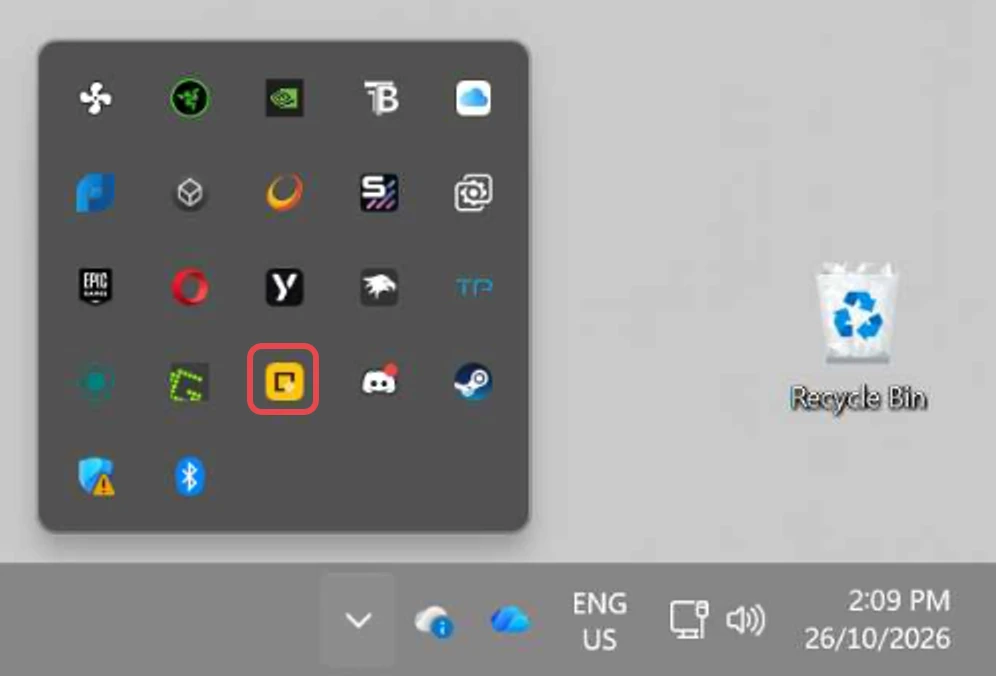
On a Mac she sits in the menu bar at the top-right instead.
What the chat looks like
A window opens with Fae at the top and a message box at the bottom. Type what's wrong the way you'd say it to a colleague and press Enter.
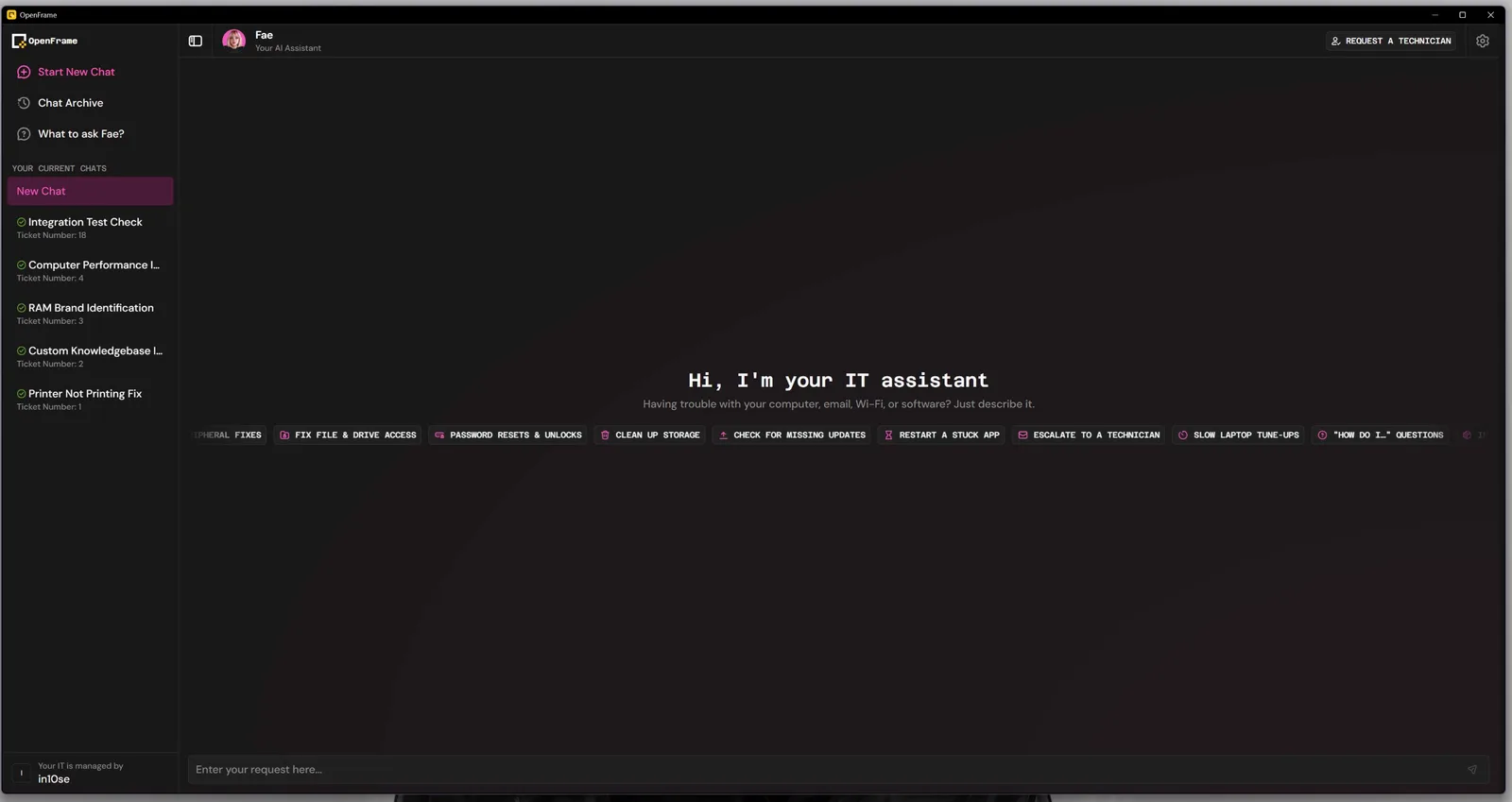
- Start New Chat begins a fresh conversation. Chat Archive keeps the old ones.
- The Request a technician button at the top-right sends it straight to us if you would rather not chat.
- "Your IT is managed by in10se" at the bottom-left confirms you are on the right account.
What to say
Plain words work best. You don't need to know what is wrong, just what you are seeing:
- "My printer isn't working."
- "My computer is really slow this morning."
- "Best Practice won't open."
- "The Wi-Fi keeps dropping out."
- "I can't open the shared drive."
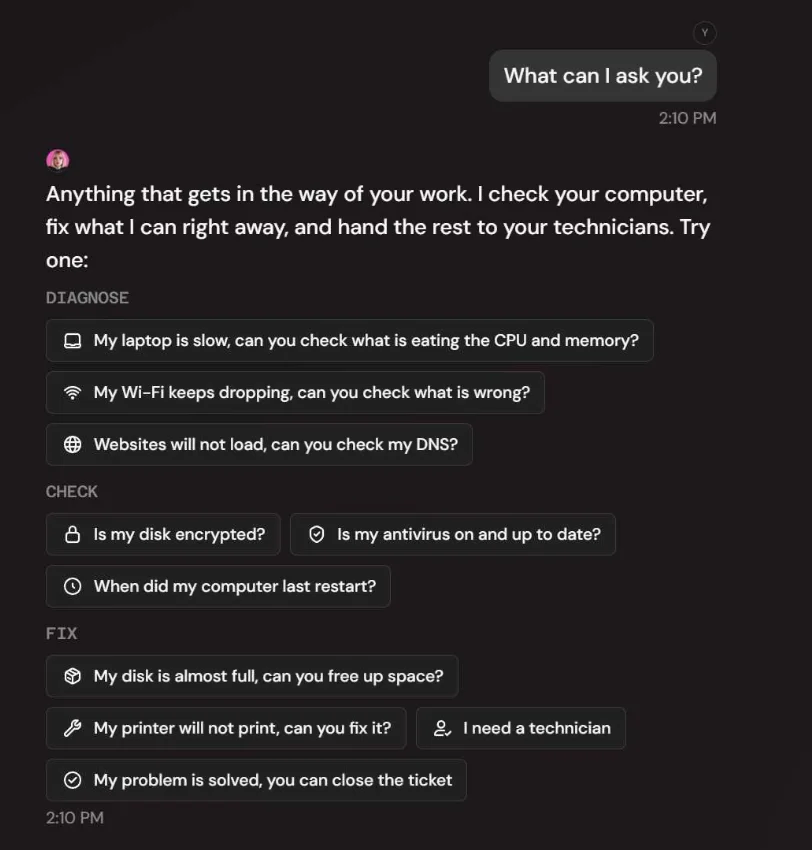
Fae will ask a question or two if she needs more, then either fix it or tell you she's passed it to a technician. Ask her "What can I ask you?" for a menu of examples.
What happens next
- If Fae fixed it, you are done. Say "my problem is solved" and she closes the request.
- If she couldn't, she creates a support request with everything she found attached. Our team picks it up and creates the matching ticket in this portal for you, so you will see it under Tickets and get the usual email updates. You don't need to raise it again.
Fae can only see the computer she's running on. For anything about another device, a new staff member, equipment or your account, raise a ticket in the portal instead.